AutoForm.1.2
Publisher Description

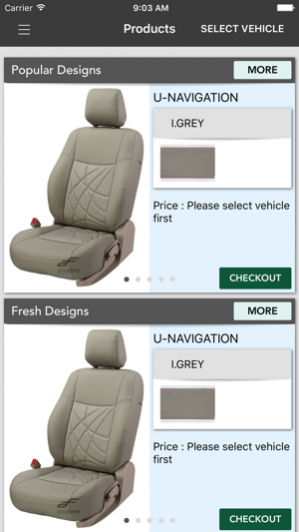
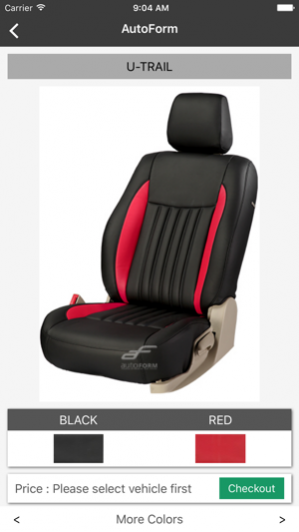
With our Experience of over 25 Years in the Industry, the company is highly skilled and is equipped with the best of Facilities to match all High Quality Production Standards. Our Plant at Dehradun, Uttrakhand is spread over an area of 1,00,000 Sq. Feet and boasts of State of the Art Machinery such as the German CNC Auto Cutter and Japanese Automatic Stitching Machines.
Autoform’s Philosophy of constantly delivering the best is taken care of with the help of our Products Durability, Products Comfort and Products Attractiveness. Use of Superior Quality PU/PVC, High Density Foam and High Quality Threads has always been adding value to our Products. Not only this, In our relentless approach to execute the best, Autoform has been able to earn itself a Range of Reputed Clients such as Honda, M&M, Hyundai, General Motors, Fiat, Nissan, Volkswagen, Yamaha, Skoda, Mahindra Renault, Carnation, Reliance & Car Plus.
“Our combination of craftmanship and creativity give our designs Unique looks that are well executed”.
So Autoform offers its clients products that are:
• Manufactured from High Quality Raw Materials
• Products created to ensure durability and perfect Fit
• Are attractively Designed
• Suitable for varied types of vehicles
• Involves High Skilled
May 5, 2018 Version 1.2
New UI and bug fix
About AutoForm.
The company that develops AutoForm. is Sandeep Goyal. The latest version released by its developer is 1.2. This app was rated by 1 users of our site and has an average rating of 3.5.
To install AutoForm. on your iOS device, just click the green Continue To App button above to start the installation process. The app is listed on our website since 2018-05-05 and was downloaded 36 times. We have already checked if the download link is safe, however for your own protection we recommend that you scan the downloaded app with your antivirus. Your antivirus may detect the AutoForm. as malware if the download link is broken.
How to install AutoForm. on your iOS device:
- Click on the Continue To App button on our website. This will redirect you to the App Store.
- Once the AutoForm. is shown in the iTunes listing of your iOS device, you can start its download and installation. Tap on the GET button to the right of the app to start downloading it.
- If you are not logged-in the iOS appstore app, you'll be prompted for your your Apple ID and/or password.
- After AutoForm. is downloaded, you'll see an INSTALL button to the right. Tap on it to start the actual installation of the iOS app.
- Once installation is finished you can tap on the OPEN button to start it. Its icon will also be added to your device home screen.
Program Details
System requirements
Download information
Pricing
Version History
version 1.2
posted on 2018-05-05
May 5, 2018 Version 1.2
New UI and bug fix
